AI localization and dubbing. One editor. All languages.

Transcribe, translate, caption, subtitle, and dub your video and audio in 50+ languages

iHeartMedia logo
iHeartMedia logo
iHeartMedia logo
iHeartMedia logo
iHeartMedia logo
iHeartMedia logo
iHeartMedia logo
iHeartMedia logo
iHeartMedia logo
iHeartMedia logo
iHeartMedia logo
iHeartMedia logo
iHeartMedia logo
iHeartMedia logo
iHeartMedia logo
iHeartMedia logo

Most AI dubbing platforms give you a file. We give you control — with professional workflows built for editing, collaboration, and scale.
Not "upload and pray."

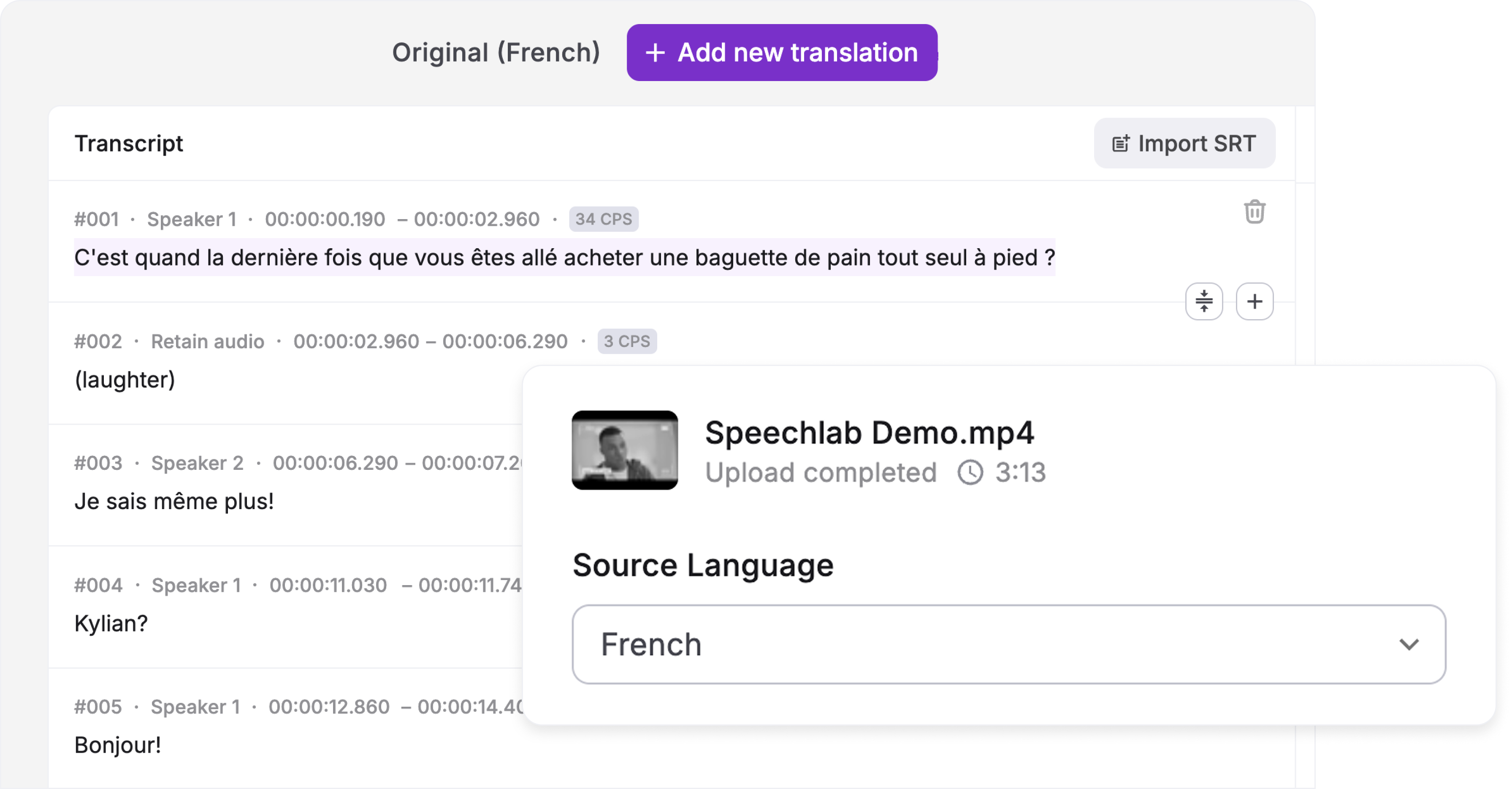
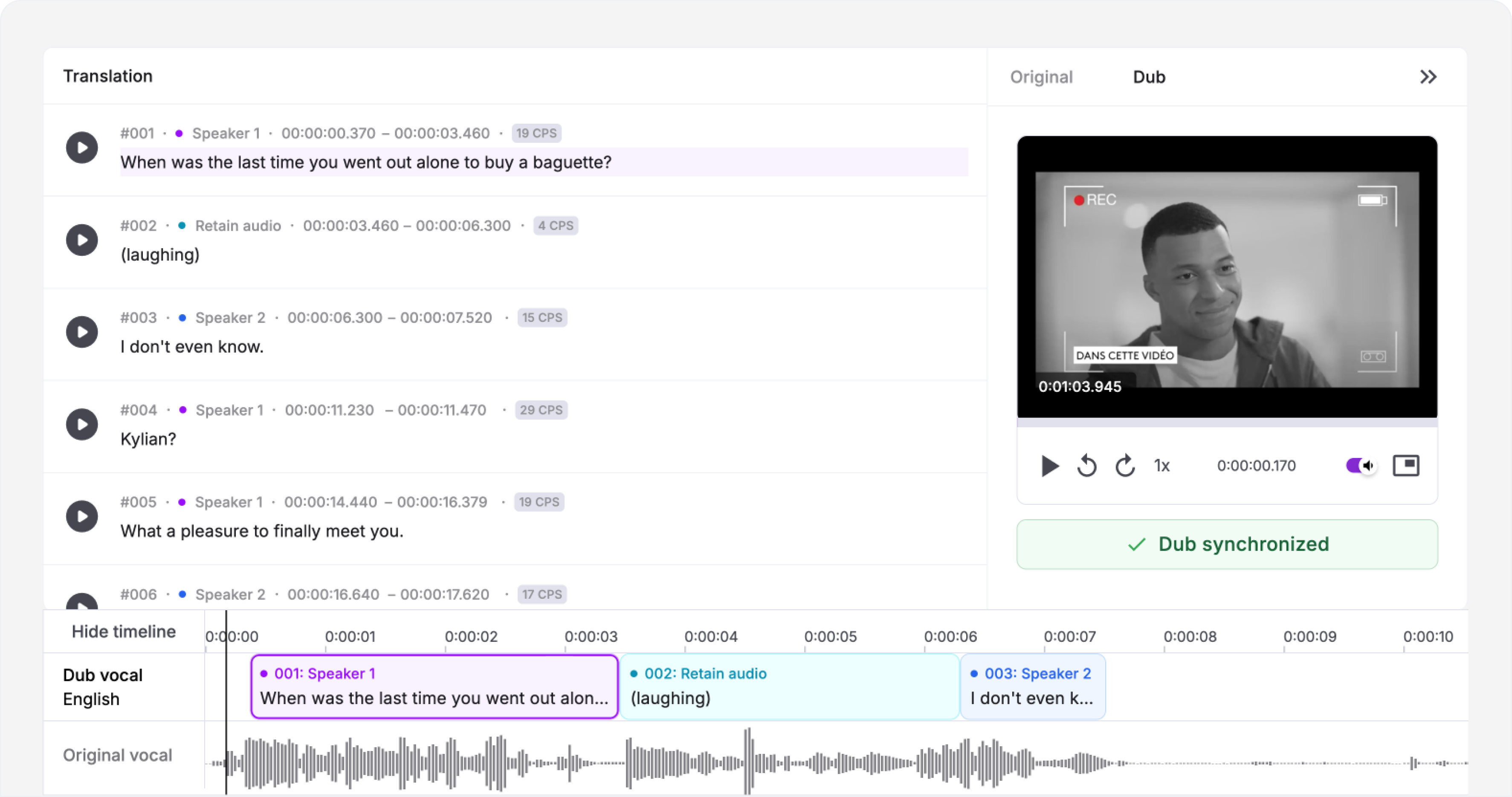
Advanced transcript and translation editing

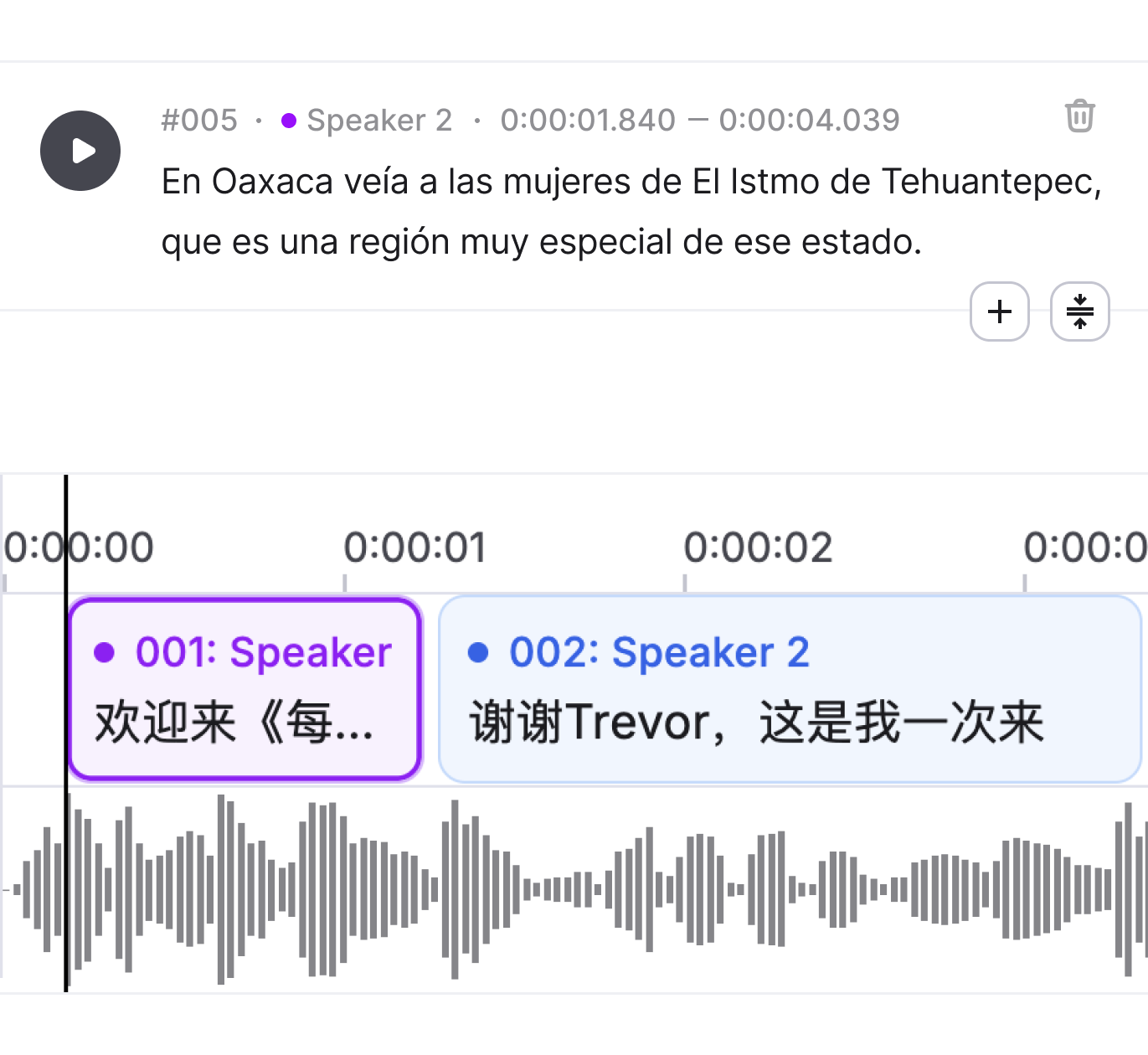
Fine-grained control where it matters: SRT import, segments operations, audio waveform editing, and automatic speaker detection. Every tool you need to get the output right before it ships.
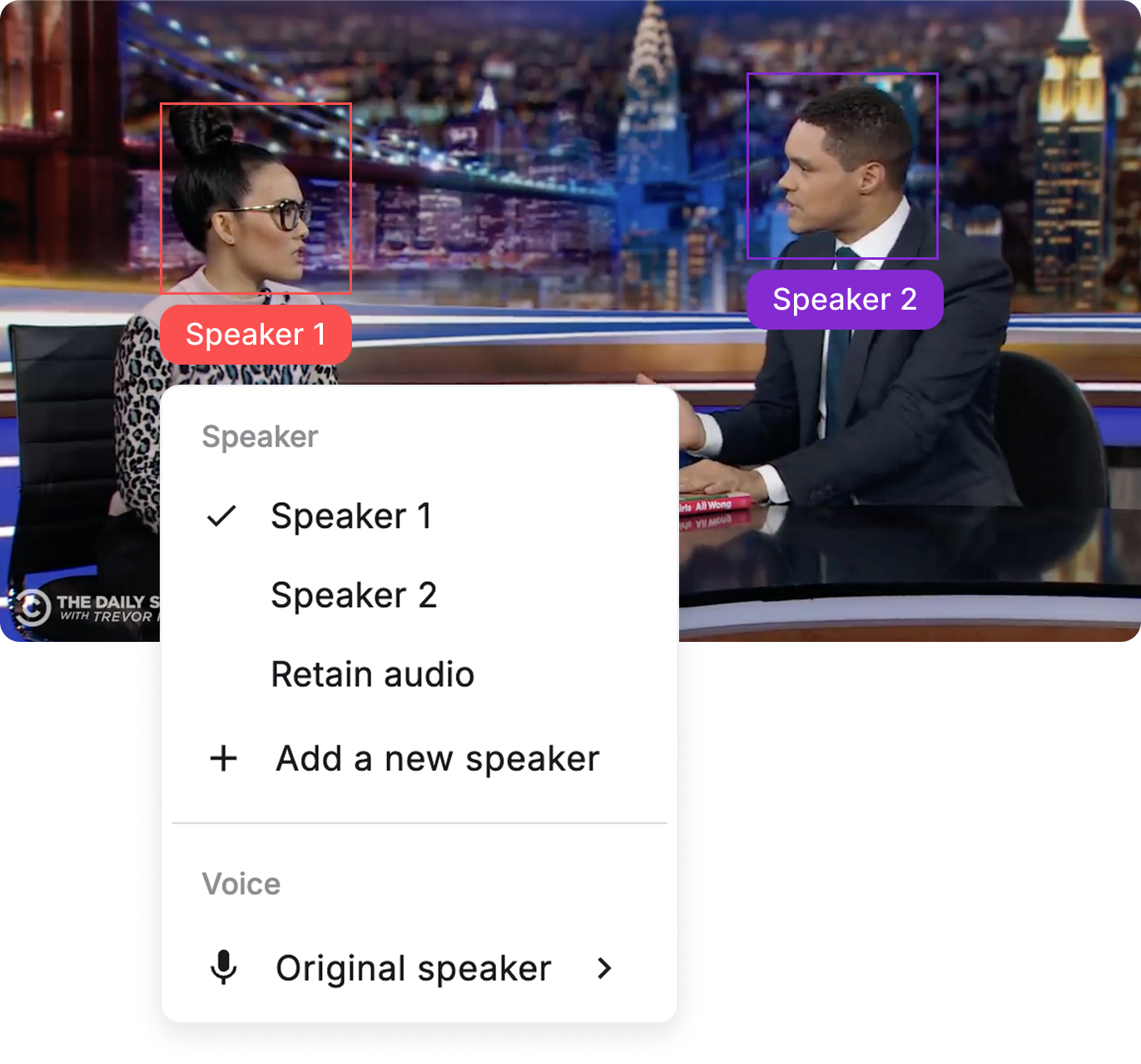
Hyper-realistic voice matching

Replicate the original speaker's voice in a new language — or replace it with an authentic native voice.
Segment-level dub regeneration

Changed one word in the translation? Re-dub that segment. Not the whole project. Your credits go to work that matters.

Enterprise

Enterprise-ready,
full potential unlocked.
API integration. Plug Speechlab into your media asset management, translation management, or content pipeline.

Bulk processing. Process and track hundreds of files at once across languages. Track progress from a single dashboard.
White-glove human-in-the-loop review. AI gets you 90% there. Human linguists get you to ship-ready quality.

How AI localization and dubbing works with Speechlab

Every capability works on its own — or flows into the next. Start anywhere. Stop anywhere. Pick up where you left off. All of it works on spoken content: video, audio, podcasts, audiobooks.

Upload. Drag and drop a file, paste a YouTube link, or bulk-import your content, for video, audio, podcasts, audiobooks.

Transcribe. ASR produces a diarized transcript with timestamps and speaker labels. Edit inline.

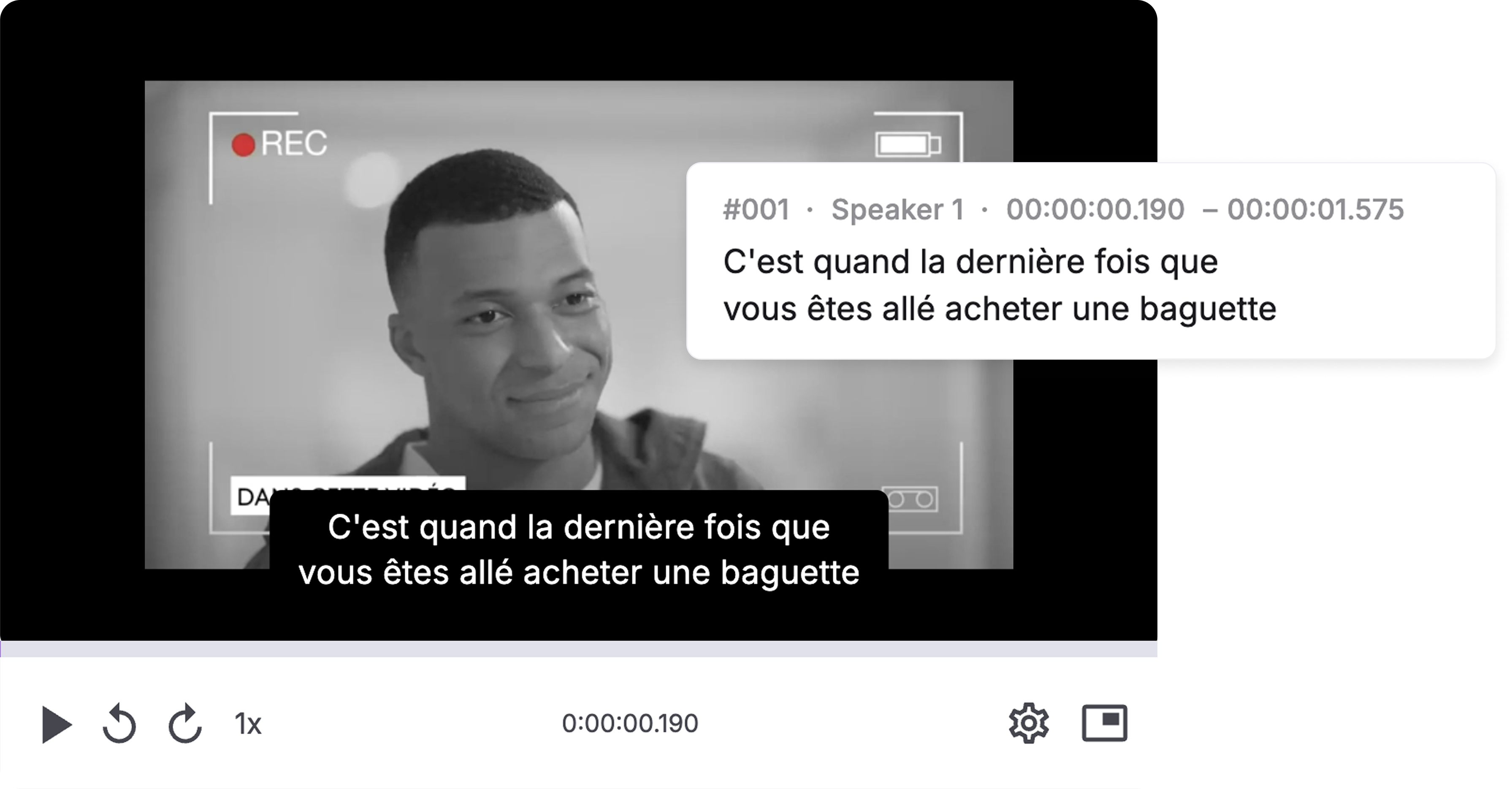
Caption. Generate captions from the transcription. Speaker-labeled, editable, and accessibility-ready.

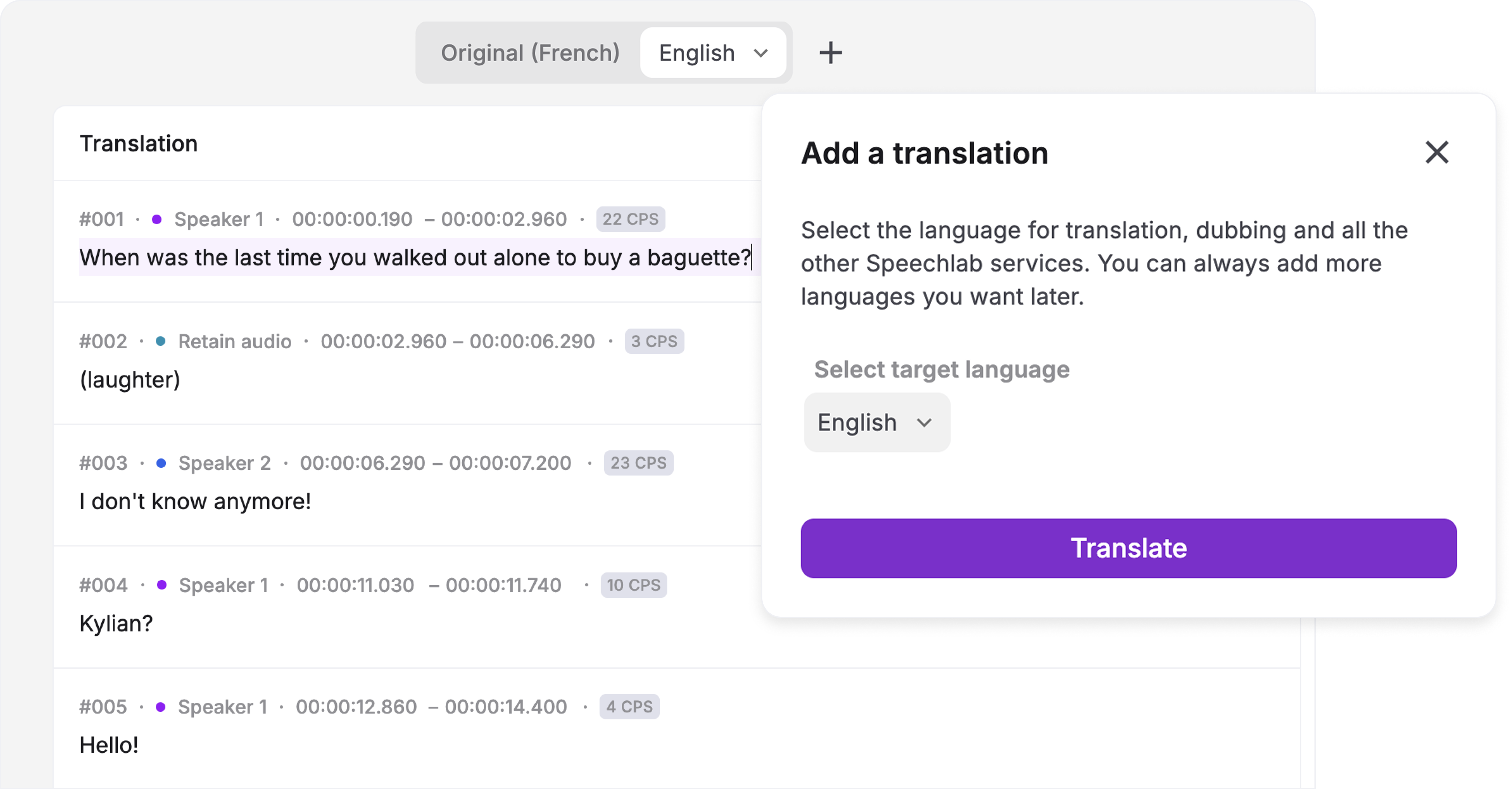
Translate. Select a target language. AI translates the spoken content segment by segment. Edit every line.

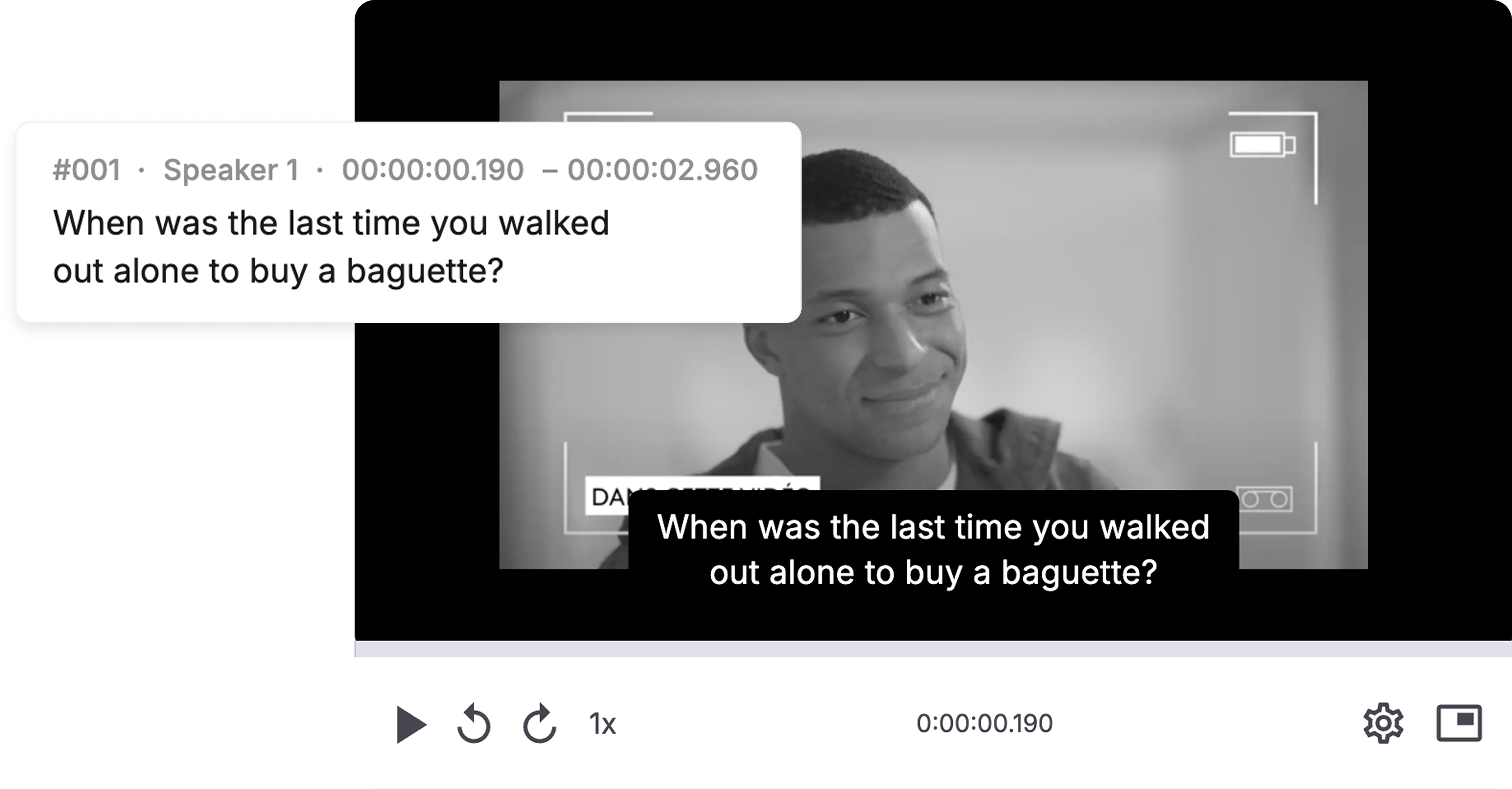
Subtitle. Create SRT subtitles from the translation. Frame-accurate, validated, broadcast-ready.

Generate dub.  Assign a voice per speaker then render the dubbed audio. Preview in the editor alongside the source.

Export.  Dubbed video, dubbed audio, SRT subtitles, translation text — whatever the deliverable needs.

Built for teams that care what the output sounds like
Media publishers & creators
Dub documentaries, podcasts, YouTube content, audiobooks, and film. Real multi-speaker support. Voice cloning that preserves the original speaker's identity.
Enterprise marketing & sales
Localize product demos, sales enablement, and brand content across markets. Team collaboration, role-based access, bulk processing, API integration.
Corporate training & L&D
Dub training modules, compliance content, and course libraries. Pearson and DeepLearning.AI already do.
Localization service providers
Plug into existing workflows via API. Per-minute pricing. NET-30 invoicing. White-label options for enterprise accounts.
Pricing

Transparent per-minute pricing. Pay for what you use.

Free

0$

For individuals who are interested in effortless video dubbing

Start Free
Included:
2 projects of free dubbing
All target languages & dialects
Match voice to original or native speaker
Export captions in SRT, TXT or JSON
Export media with or without background audio
Pro

$0.6/min

For creators who want to power up video production with AI voices

Get Started
Included:
Pay for usage, per-minute credits
Audio and video of any length
Video resolution up to 4K
Share with others to review and edit
API access
Enterprise

Custom

For companies who want to level up content strategy with AI dubbing

Contact Sales
Everything in pro, plus:
Custom integrations
Volume-based discounts
Assign team user rights and roles
Review by native linguists
Support for custom voices
Lame

0$

Per month / billed annually

Best for solo devs, hobby projects, quick experiments and cheap guys.

Start Lame
Included:
Explain Engine (limited)
Basic code summaries
Lightweight docs generation
3 modules per month
Pro

$28

Per month / billed annually

Best for solo devs, hobby projects, quick experiments and cheap guys.

Go Pro
Everything in lame, plus:
Performance insights
Unlimited modules
PR-level explanations
Suggested fixes & improvements
Max

$66

Per month / billed annually

Best for growing teams, production workloads, companies serious about quality.

Go Max
Everything in pro, plus:
Advanced Review Engine
Architecture-level insights
Risk detection & async hazard analysis
Early feature access

Frequently asked questions

What is Speechlab?

Speechlab is an AI dubbing and translation platform that lets you transcribe, translate, caption, subtitle, and dub video and audio in 50+ languages. Unlike black-box tools, Speechlab gives you a full editor — so you can review and refine every word before it ships.

What file formats does Speechlab support?

Video (MP4, MOV, MKV, WebM), audio (MP3, WAV, M4A, FLAC), and direct YouTube link import. Export options include dubbed video, dubbed audio, SRT/VTT subtitles, and plain-text transcripts.

How many languages does Speechlab support?

50+ languages for transcription, translation, and dubbing — including major European, Asian, Middle Eastern, and African languages. Each language has native-voice options; voice cloning availability varies by language pair.

Can I clone the original speaker's voice in another language?

Yes. Source-clone mode captures the original speaker's voice characteristics and synthesizes them in the target language. For multi-speaker content, each speaker can be cloned independently.

What if I only need transcription or subtitles, not dubbing?

Every product works standalone. You can use Speechlab purely for transcription, captions, or SRT export without ever generating a dub. You only pay for what you use.

How does pricing work?

Credit-based, per-minute pricing. Each language you add costs credits based on the source media duration. Start with free credits, no card required.

Can I edit the output after it's generated?

Yes. Speechlab includes a waveform timeline editor with per-segment text editing, timing adjustment, and segment-level re-rendering. Change one sentence without re-processing the whole file.

Does Speechlab offer an API?

Yes. Pro and Enterprise plans include RESTful API access with per-project endpoints, webhook callbacks, and batch job tracking. Integrate Speechlab into your existing media asset management or translation management pipeline.

What enterprise features are available?

Enterprise accounts include bulk processing, API integration, linguist-reviewed outputs, custom voice creation, role-based team access, invoice billing, and lip-sync. [Contact sales](/contact) for details.

Is my content secure?

All uploads are encrypted in transit and at rest. Files are stored in SOC 2-compliant infrastructure. Enterprise accounts can request custom data retention policies.

Try it.
Hear your content in a new voice.